

TL;DR:
- Actual developer capacity is typically 25 to 30 productive hours weekly, not 40.
- Using realistic capacity estimates prevents project delays, budget overruns, and technical debt.
- Combining multiple metrics and tools improves accuracy and confidence in capacity planning.
Missed deadlines rarely happen because developers are lazy or disorganized. They happen because someone planned at full headcount capacity, ignoring the reality that realistic productive hours for most developers land between 25 and 30 hours per week after meetings, bug triage, and administrative overhead are subtracted. For startup founders and project managers, this gap between assumed and actual capacity is where budgets break and timelines collapse. This guide walks you through proven, structured methods to estimate developer capacity with precision, giving you the foundation for realistic sprint planning, accurate budget allocation, and delivery commitments you can actually keep.
Table of Contents
- What is developer capacity and why it matters
- Popular methods for estimating developer capacity
- Step-by-step process to estimate your team's capacity
- Advanced tips and edge cases: buffers, AI, and changing team dynamics
- A better way: why tech leaders should rethink capacity estimation
- Estimate capacity with confidence using advanced tools
- Frequently asked questions
Key Takeaways
| Point | Details |
|---|---|
| Capacity is not headcount | Use actual productive hours, not just the number of developers, for planning. |
| Blend methods for accuracy | Combine story points, velocity, and available hours to estimate more reliably. |
| Always add a buffer | A 15–20% buffer reduces risk from unplanned work, holidays, and team changes. |
| Beware of AI trade-offs | AI may speed delivery but requires more review and issue management. |
| Regularly recalibrate | Track and adjust estimates every few sprints to better match reality. |
What is developer capacity and why it matters
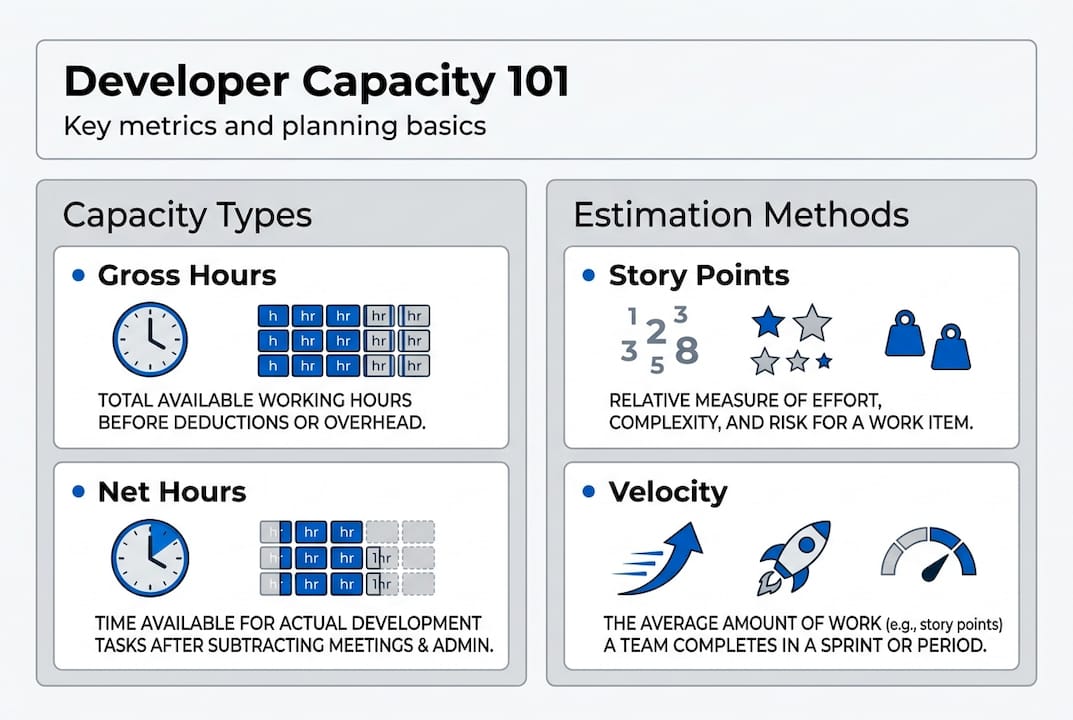
Developer capacity is not simply the number of developers on your team multiplied by 40 hours. It is the realistic volume of productive, project-focused work your team can deliver within a given time period. Understanding this distinction is the starting point for every reliable project plan.
The critical separation is between gross capacity and net capacity. Gross capacity is total available time, typically 40 hours per week per developer. Net capacity is what remains after subtracting meetings, code reviews, bug fixes, administrative tasks, and what practitioners call "grey work," which includes unplanned interruptions and context switching. Developer capacity should always be measured in productive hours, not total time available.
Here is a realistic breakdown of how a typical developer week is actually spent:
| Activity | Average hours per week |
|---|---|
| Focused development work | 18 to 22 hours |
| Meetings and standups | 5 to 7 hours |
| Code review and QA | 3 to 5 hours |
| Bug fixes and support | 2 to 4 hours |
| Admin, documentation, grey work | 2 to 4 hours |
This table reveals why planning at 100% of gross capacity is a structural mistake. When teams skip this accounting, the consequences compound quickly:
- Sprint commitments are overloaded from day one
- Developers carry technical debt that slows future velocity
- Stakeholders lose trust when delivery dates slip repeatedly
- Budget overruns emerge because underestimated scope requires more sprints
- Team morale deteriorates under sustained overcommitment
"Capacity is a planning metric, not a performance metric. Using it to evaluate individual developer output misapplies the concept entirely and creates perverse incentives."
For founders evaluating estimating dev costs or PMs working with project estimators, getting net capacity right is the prerequisite for every downstream calculation. It also connects directly to software sizing, since accurate size estimates only translate into realistic timelines when capacity inputs are grounded in reality.
Popular methods for estimating developer capacity
With the basics in mind, let's examine the most widely adopted methods for converting raw availability into realistic capacity estimates.
Primary methodologies for developer capacity estimation include story points, team velocity, and direct hour mapping using historical data. Each has a specific context where it performs best.
Story points represent relative effort, not time. A task worth 3 points is roughly three times more complex than a 1-point task. Teams use Planning Poker to reach estimation consensus and avoid anchoring bias. The Fibonacci sequence (1, 2, 3, 5, 8, 13) is the standard scale because the increasing gaps between numbers force teams to acknowledge meaningful differences in complexity.
Team velocity measures how many story points a team completes per sprint, averaged across recent sprints. Scrum velocity becomes reliable after three to five sprints of consistent data, making it less useful for brand-new teams but highly accurate for established ones.

Hour-based capacity planning maps available productive hours directly to deliverables. It is most useful for budget conversations and for teams where estimation scope is defined in concrete tasks rather than abstract complexity.
Here is a comparison of all three approaches:
| Method | Best used when | Pros | Cons |
|---|---|---|---|
| Story points | Team is established, work is complex | Reduces time-estimation bias | Hard to explain to non-technical stakeholders |
| Team velocity | 3+ sprints of data available | Highly predictive for planning | Not comparable across teams |
| Hour mapping | Budgeting, new teams, fixed-scope work | Directly ties to cost | Prone to optimism bias |
Here is a simplified process for applying story points in practice:
- Select a baseline story (a task the team knows well) and assign it 3 points
- Estimate all other tasks relative to that baseline
- Run Planning Poker to surface disagreements and reach consensus
- Sum the team's average sprint velocity over the last three to five sprints
- Divide total story points for the project by average velocity to get sprint count
- Multiply sprint count by sprint length to get timeline
Pro Tip: Always use the Fibonacci sequence rather than a linear scale. The gaps between 8 and 13 force your team to acknowledge that large tasks carry exponentially more uncertainty, which leads to more honest estimates.
Step-by-step process to estimate your team's capacity
Equipped with approaches, here's how you can actually calculate your team's capacity in a structured, repeatable way.
Atlassian's capacity planning framework recommends that individuals log a typical week of activities, sum project-focused hours, aggregate across the team, and review periodically. Here is that process adapted for a startup context:
- Log all developer activities for one full sprint. Track meetings, focused coding, reviews, bug fixes, and interruptions separately.
- Subtract non-project time. Remove recurring meetings, on-call duties, and any administrative obligations from gross hours.
- Calculate net productive hours per developer. For most developers, this lands between 18 and 22 hours per week.
- Aggregate across the team. Multiply individual net hours by the number of developers, adjusting for part-time contributors or those with split responsibilities.
- Map hours to story points. Use your team's historical velocity ratio to convert net hours into an expected story point throughput for the sprint.
- Recalibrate every two to four sprints. Capacity shifts as team composition, workload mix, and project phase change.
To make this concrete, consider a four-person startup engineering team. Each developer has 30 gross hours per week. After subtracting 5 hours of meetings and 3 hours of bug fixes and reviews, each developer has roughly 22 focused hours. Apply a 20% buffer for unplanned work and context switching, and net productive hours drop to approximately 18 per developer. Across four developers, that is 72 productive hours per week, not 120.
This also directly informs estimating integration effort, where underestimating available hours leads to systematic underpricing of third-party API work and infrastructure tasks.
Pro Tip: Never plan at more than 80% of your calculated net capacity. The remaining 20% absorbs blockers, context switching, and the inevitable scope questions that arise mid-sprint. Teams that ignore this buffer consistently miss sprint goals.
Advanced tips and edge cases: buffers, AI, and changing team dynamics
You can't always predict the unexpected, so here's how to adapt when your team dynamics or tech tools throw a wrench in your plan.
Several categories of capacity variation require explicit buffering strategies:
- Planned time off: Holidays and vacations can reduce team capacity by up to 10% in any given sprint and must be accounted for before sprint commitment
- Unplanned work: Production incidents, urgent security patches, and stakeholder-driven scope additions typically consume 15 to 20% of sprint capacity
- Onboarding ramp-up: New hires typically operate at 40% of full productivity for their first four to six weeks, a figure most sprint plans ignore entirely
- Innovation and R&D time: Teams that allocate dedicated time for experimentation and learning maintain higher long-term velocity, but this time must be carved out explicitly
- Cross-functional estimation challenges: When developers share time across multiple products or teams, capacity allocation requires coordination across planning cycles
"A 15 to 20% unplanned work buffer is not pessimism. It is the difference between a plan and a wish."
The AI dimension adds a new layer of complexity. AI can accelerate delivery by 30 to 60%, but the same data shows AI-generated pull requests create 1.7 times more issues, and code churn rates are doubling. This means AI-assisted teams may ship faster but require more review capacity, not less. The 2026 benchmarks from Plandek confirm that the productivity gains are real but unevenly distributed, with top performers pulling further ahead while lower-performing teams struggle to manage the review overhead.
For teams integrating AI tooling, use the cost calculator to model different team configurations, and review estimating AI impact for app-specific guidance on how AI features affect both build time and ongoing maintenance capacity.
A better way: why tech leaders should rethink capacity estimation
Taking a step back from checklists and tables, there are some hard truths about what actually works and what many teams consistently miss.
The most common mistake is treating velocity or story points as a performance benchmark rather than a planning tool. Velocity is for consistent planning, not cross-team comparison. When leadership uses velocity to rank teams or justify headcount decisions, it distorts behavior and produces inflated estimates that make planning less accurate, not more.
Top-performing engineering organizations use multiple metrics in parallel. DORA metrics (deployment frequency, lead time, change failure rate, recovery time) and the SPACE framework (satisfaction, performance, activity, communication, efficiency) provide a far richer picture of team health than velocity alone. Teams that track code churn alongside story point throughput catch quality degradation before it compounds into a delivery crisis.
The AI effect deserves particular scrutiny. Founders who assume AI tooling will linearly increase capacity are likely to be disappointed. The speed gains are real, but the review burden and defect rate increases mean that senior developer time gets consumed faster, not freed up. Recalibrating capacity estimates after introducing AI tools is not optional. It is a planning requirement. Explore why estimation fails for a deeper look at the structural patterns that undermine accuracy across projects.
Experimentation and regular recalibration beat the pursuit of a perfect upfront estimate every time.
Estimate capacity with confidence using advanced tools
Translating capacity estimation methods into actual budget and timeline projections is where many founders and PMs hit a wall. The math is manageable, but modeling different team sizes, sprint lengths, and buffer scenarios manually is time-consuming and error-prone.
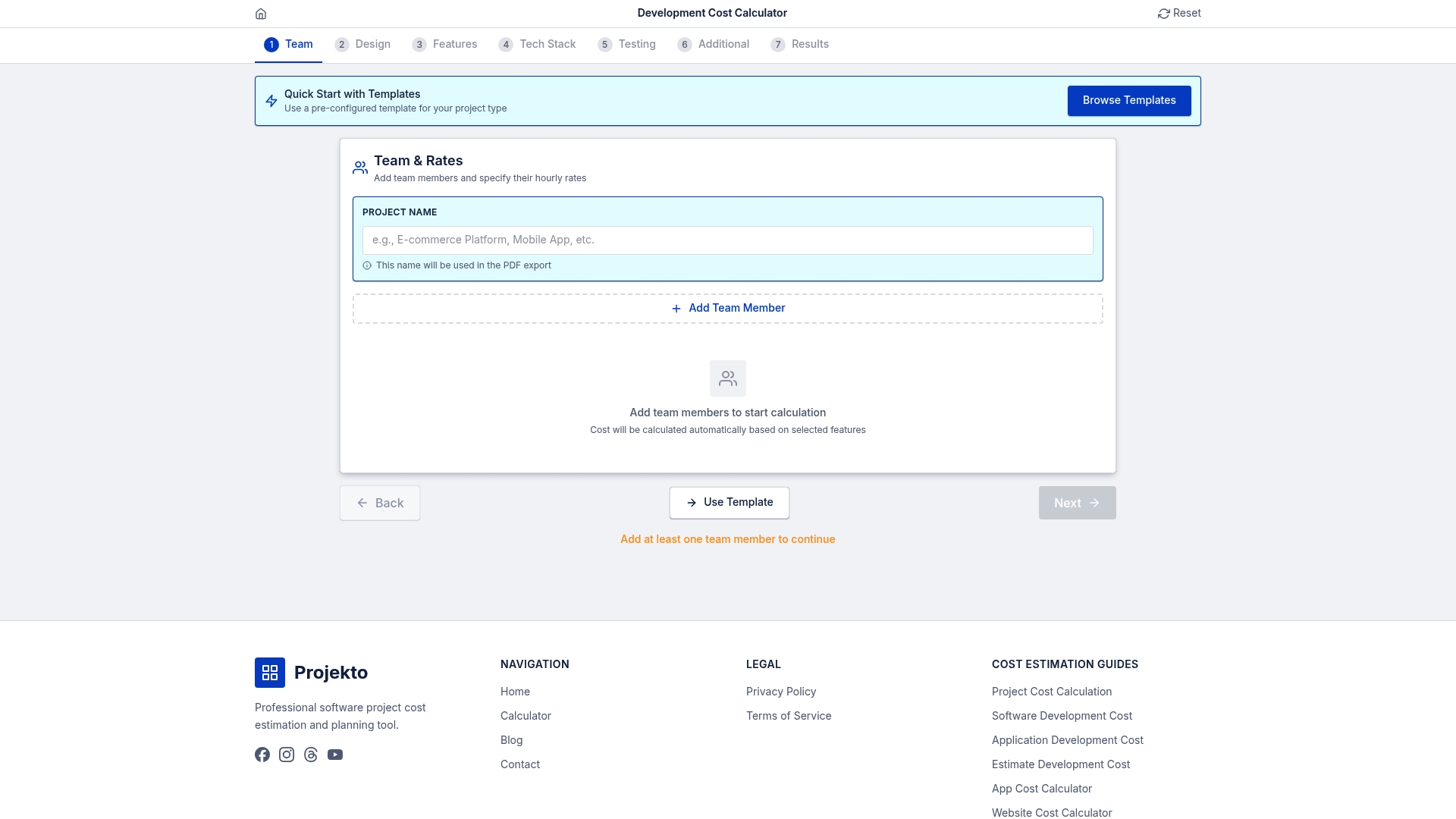
The capacity calculator at Projecto lets you input your team's net productive hours, sprint velocity, and buffer assumptions to generate realistic timeline and cost projections in minutes. For domain-specific builds, the event app calculator and healthcare app calculator provide pre-configured estimates that account for the unique complexity and compliance requirements of those verticals. Pair these tools with the methods in this guide for estimates that hold up under scrutiny.
Frequently asked questions
How do you convert available hours to story points?
Map your team's net productive hours to story points using historical sprint velocity. For most teams, one story point equals approximately 0.2 to 0.3 productive hours, though this ratio stabilizes only after several sprints of consistent data.
How much buffer should you add to developer capacity?
A 15 to 20% buffer is the standard recommendation to account for unplanned work, context switching, and interruptions that consistently consume sprint capacity across teams of all sizes.
Are story points better than hours for capacity estimation?
Story points provide more accurate relative sizing and reduce time-estimation bias, making them preferable for sprint planning. Hours remain essential when translating capacity into budget projections for stakeholders.
How does AI affect developer capacity estimates?
AI can accelerate delivery by 30 to 60%, but it also increases issue rates by 1.7 times, meaning review and QA capacity must increase proportionally. Factor both the speed gain and the quality overhead into your estimates.