

TL;DR:
- Reliable web development resources are authoritative, regularly updated, and practically applicable.
- Key portals include MDN Web Docs, W3Schools, Smashing Magazine, The Odin Project, and WebAIM.
- Free, community-driven resources often outperform paid courses for team training and ongoing learning.
Finding reliable web development resources for a business project is harder than it looks. The internet is saturated with tutorials, documentation portals, and online courses, many of which are outdated, superficial, or simply repackaged versions of freely available content. For teams planning web and mobile applications, wasted time on poor resources translates directly into delayed timelines and inflated budgets. This guide cuts through the noise by providing a curated, evidence-backed list of the most credible and practical web development resources available, organized so your team can make smarter decisions from day one of project planning.
Table of Contents
- How to evaluate web development resources
- Essential web development resource portals
- Comparing web development resources: What matches your business needs?
- Situational picks: Resources for accessibility, mobile focus, and efficient team ramp-up
- A fresh perspective: Why going 'free and practical' is smarter than chasing trendy paid courses
- Maximize your resource investment with project planning tools
- Frequently asked questions
Key Takeaways
| Point | Details |
|---|---|
| Trust authoritative portals | Rely on MDN, W3Schools, Smashing Magazine, The Odin Project, and WebAIM for up-to-date, actionable resources. |
| Apply a resource selection checklist | Evaluate web resources based on authority, frequency of updates, scope, and relevance to your team's needs. |
| Strategically combine resources | Mix structured curricula, technical docs, and accessibility tools for maximum efficiency. |
| Prioritize free, practical learning | Choose free, community-backed resources over paid courses for most use cases. |
How to evaluate web development resources
Not every resource that ranks well in search results deserves a place in your team's workflow. Before committing time or budget to any learning portal, documentation hub, or tutorial series, apply a structured evaluation framework. The criteria that matter most are credibility, update frequency, and practical utility.
Credibility refers to whether the resource is authored or maintained by recognized experts, standards bodies, or active developer communities. A resource backed by Mozilla, the W3C, or a large open-source community carries far more weight than an anonymous blog post. Update frequency is equally critical. Web development standards evolve rapidly, and a tutorial written in 2019 may teach deprecated methods that actively harm your project. Practical utility means the resource must translate directly into usable skills or decisions, not just theoretical knowledge.
Here is a quick checklist for evaluating any web development resource before you invest time in it:
- Authority: Who created it, and are they recognized in the industry?
- Scope: Does it cover the technologies relevant to your project stack?
- Depth: Does it go beyond surface-level explanations into implementation detail?
- Actionable value: Can your team apply what they learn within the current sprint?
- Cost vs. return: Is the pricing, if any, justified by content quality and exclusivity?
One common pitfall is confusing aggregator sites with original content. Resource aggregators can be useful for discovery, but they rarely provide the depth needed for web project estimation or technical decision-making. Always trace back to the primary source.
"The best resources are those that are actively maintained, community-reviewed, and directly tied to current web standards. Anything less introduces technical debt before a single line of code is written."
Free, practical resources from established sources like MDN, W3Schools, Smashing Magazine, and The Odin Project consistently outperform paid courses for efficient, applied learning. If you are evaluating project cost tools alongside your resource stack, this distinction matters for budget allocation.
Pro Tip: Avoid paying for basic tutorials. The top free portals covered in this guide deliver equal or superior content to most paid platforms at zero cost.
Essential web development resource portals
With your evaluation criteria set, here are the essential, authoritative resource hubs no team should overlook. Each serves a distinct role in the project planning and execution lifecycle.
| Portal | Primary focus | Ideal use case |
|---|---|---|
| MDN Web Docs | Technical documentation and standards | Deep reference for HTML, CSS, JS, APIs |
| W3Schools | Beginner-to-advanced tutorials | Hands-on skill building across languages |
| Smashing Magazine | Design, UX, and front-end insights | Actionable articles for UI and accessibility |
| The Odin Project | Structured, project-based curriculum | Team onboarding and portfolio development |
| WebAIM | Web accessibility guidance | Compliance auditing and inclusive design |
MDN performance guides cover critical rendering path optimization, resource hints, HTTP/2 configuration, compression, image optimization, and tools like Lighthouse, making MDN the definitive technical reference for any serious development team. It is the standard that browser vendors and framework authors themselves rely on.

W3Schools tutorials span HTML, CSS, JavaScript, Python, SQL, and major frameworks including React and Bootstrap, providing an interactive, try-it-yourself environment that accelerates hands-on skill acquisition across experience levels.
Smashing Magazine publishes practitioner-authored articles on front-end architecture, CSS tooling, and UX patterns, making it particularly valuable for teams working on consumer-facing interfaces. The Odin Project curriculum provides a free, structured learning path ideal for teams that need to build foundational competency quickly. WebAIM resources are the industry benchmark for accessibility compliance guidance.
Key benefits of building your resource stack around these portals:
- Consistent alignment with current web standards
- Community-vetted content with frequent updates
- Coverage across front-end, back-end, and accessibility domains
- Zero licensing cost for core content
For teams assessing learning platform costs or comparing tech resource portals, these five portals represent the highest return on time investment available in 2026.
Comparing web development resources: What matches your business needs?
Once you know each portal's focus, compare them side-by-side to match your specific project needs. The right combination depends on your team's current skill level, the technologies in your stack, and your project's compliance requirements.
| Feature | MDN | W3Schools | Smashing Magazine | The Odin Project | WebAIM |
|---|---|---|---|---|---|
| Tutorials | Partial | Yes | Yes | Yes | Limited |
| Technical docs | Yes | Partial | No | No | Partial |
| Project-based learning | No | No | No | Yes | No |
| Accessibility focus | Partial | No | Yes | No | Yes |
| Community forums | Yes | Limited | Yes | Yes | Yes |
| Cost | Free | Free/Pro | Free | Free | Free |
The Odin Project curates a free curriculum covering HTML, CSS, JavaScript, React, Node.js, and Ruby on Rails, with portfolio-building projects embedded throughout, making it the strongest option for structured team onboarding. Smashing Magazine articles address accessible component design, CSS tooling, front-end boilerplates, font scaling testing, and modal versus page navigation patterns, providing the kind of nuanced, production-relevant guidance that documentation sites rarely offer.
When to prioritize project-based portals versus documentation-first sites:
- Use The Odin Project when onboarding junior developers or building foundational skills from scratch
- Use MDN when your team needs precise technical reference during active development
- Use Smashing Magazine when solving specific UI, UX, or accessibility challenges mid-project
- Use W3Schools for rapid syntax checks and quick skill refreshers
- Use WebAIM whenever accessibility compliance is a project requirement
For teams working through a custom dev pricing guide or using project estimators, aligning your resource selection with your project scope early prevents costly rework later.
Pro Tip: Blend structured curricula from The Odin Project with the technical depth of MDN and the practical insights from Smashing Magazine. This combination consistently produces faster team ramp-up than any single resource alone.
Situational picks: Resources for accessibility, mobile focus, and efficient team ramp-up
Each project faces unique challenges. Here is how to fine-tune your resource mix for maximum impact across three common business scenarios.
-
Accessibility compliance: Start with WebAIM evaluation tools, which include the WebAIM Million report analyzing accessibility failures across the top one million websites, giving your team concrete benchmarks. Pair this with MDN's accessibility documentation for implementation-level guidance on ARIA roles, keyboard navigation, and color contrast standards.
-
Mobile-first development: Smashing Magazine covers responsive design patterns and mobile CSS architecture in depth. W3Schools provides interactive tutorials on mobile-specific CSS properties and JavaScript touch events. MDN's mobile web guides address viewport configuration, performance budgets, and progressive web app (PWA) standards, covering the full technical spectrum.
-
Team onboarding: The Odin Project's structured curriculum is purpose-built for this scenario, offering a sequenced learning path that takes developers from HTML basics through full-stack JavaScript. W3Schools complements this with fast, interactive exercises that reinforce syntax and core concepts without requiring a long-form commitment.
"Assigning project modules as onboarding sprints, rather than treating learning as a separate phase, reduces time-to-productivity by integrating skill development directly into real deliverables."
Pro Tip: Structure new hire onboarding around The Odin Project modules mapped to your actual project backlog. This approach produces job-ready skills faster than generic training programs.
For teams using project estimation tools to plan resource allocation, factoring in onboarding time against these structured learning paths produces more accurate timeline projections. The tailored approach consistently outperforms one-size-fits-all learning strategies in both speed and retention.
A fresh perspective: Why going 'free and practical' is smarter than chasing trendy paid courses
After reviewing the full landscape of web development resources, one pattern stands out clearly: most paid courses repackage content that is already freely available, often with less frequency of updates than the original sources they draw from. MDN, The Odin Project, and their peers are maintained by active communities and browser vendors who update documentation as standards change, not on a course creator's publishing schedule.
Free, practical resources from established sources consistently deliver current, production-relevant guidance that static paid courses cannot match. The real advantage of layering MDN's technical depth with The Odin Project's structured curriculum and Smashing Magazine's applied insights is that you get a living, evolving resource stack rather than a fixed snapshot.
The one valid case for paid content is personal mentorship or enterprise-scale documentation with dedicated support. Outside of that, free resources win. Align your estimation best practices with resource costs from the start, and you will consistently find that the best-performing teams spend their budget on execution, not on learning what is already freely available.
Maximize your resource investment with project planning tools
Even the most carefully selected resource stack only delivers results when paired with structured project planning. Knowing which portal to use for accessibility compliance or mobile development is valuable, but translating that knowledge into accurate timelines and realistic budgets requires dedicated tooling.
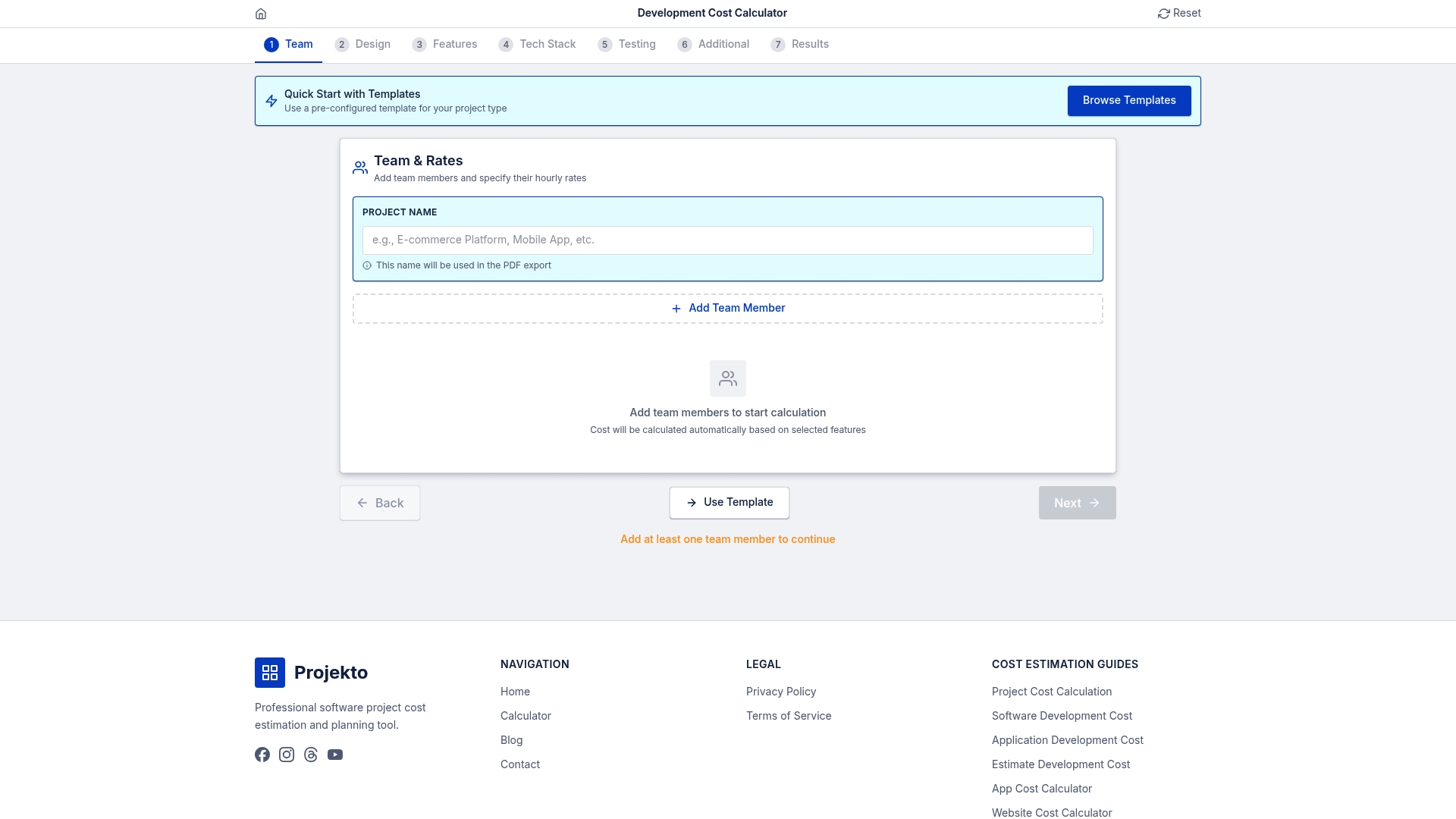
The EstimateCalc tool bridges the gap between resource selection and project execution by generating precise time and budget estimates for web and mobile app builds. Whether you are planning a new platform from scratch or scoping a feature expansion, EstimateCalc gives your team a concrete financial framework to work within. Pair it with the website cost calculator to validate your budget assumptions before committing to a development roadmap. Smart resource selection and smart budgeting together produce the most predictable project outcomes.
Frequently asked questions
What is the most credible web development resource for businesses?
MDN Web Docs is the top authoritative source for technical guides, covering performance best practices, APIs, and current web standards used by browser vendors and framework authors.
Are paid web development courses worth it?
Most businesses benefit more from free, community-driven resources. Free practical resources from established sources outperform paid courses for efficient learning unless a paid option offers direct mentorship or enterprise-level support.
Where can I find the best free curriculum for team onboarding?
The Odin Project is the strongest option, offering a free, project-based curriculum in HTML, CSS, JavaScript, React, Node.js, and Ruby on Rails designed specifically for building job-ready skills.
How can I ensure my site meets accessibility standards?
Use WebAIM's evaluation tools alongside MDN's accessibility documentation. WebAIM's Million report benchmarks accessibility failures across the top one million websites, giving your team measurable compliance targets to work toward.