

Building an app is a significant investment, yet common myths mislead businesses into underestimating costs and misallocating budgets. Many entrepreneurs believe apps can be built cheaply, ignore post-launch expenses, or assume mobile and web apps cost the same. These misconceptions lead to budget shortfalls, project delays, and failed launches. This article debunks six critical budgeting myths with expert insights and realistic cost benchmarks, helping you plan smarter investments that align with your business goals and deliver sustainable value.
Table of Contents
- Key Takeaways
- Understanding common app budgeting myths and realities
- Myth 1: apps can be built cheaply starting at $10k
- Myth 2: post-launch costs are minimal and only coding matters
- Myth 3 and 4: mobile apps cost the same as web apps and averages are useful
- Myths 5 and 6: cheapest vendors and overbuilding upfront
- Optimize your app budget with our development cost calculator
- Frequently asked questions
Key Takeaways
| Point | Details |
|---|---|
| Staged budgeting with MVP | Plan investments in phases starting with a minimum viable product to validate product market fit before expanding features. |
| Key cost drivers | Project scope, platform choice, compliance, and integration complexity determine initial and ongoing development costs. |
| Phase budget allocation | Allocate distinct budgets for discovery build iteration and launch to prevent cutting corners and quality gaps. |
| Risk buffers and contingencies | Include contingencies for technical debt, scope changes, API shifts, and market pivots to avoid budget crises. |
| Use cost calculator | Leverage an app cost calculator to tailor budgets based on requirements, platform, compliance, and integration complexity. |
Understanding common app budgeting myths and realities
Businesses often approach app budgeting with flawed assumptions that create financial surprises and project failures. The most dangerous myth is treating app development as a one-time expense rather than a staged investment requiring ongoing resources. Effective budgeting uses staged delivery: MVP first to validate product-market fit before full build, reducing risk of overinvestment.
Smart budgeting starts with understanding the key criteria that drive costs. Project scope determines feature complexity and development time. Compliance requirements for industries like healthcare or finance add specialized development and security layers. Integration needs with existing systems or third-party services increase technical complexity. Platform choice between web, iOS, Android, or cross-platform affects both initial build and maintenance costs.
A realistic budgeting framework breaks development into distinct phases. The discovery phase clarifies requirements and creates technical specifications. The build phase develops core features and functionality. The iteration phase incorporates user feedback and refinements. The launch phase handles deployment, app store submissions, and initial marketing. Each phase requires dedicated budget allocation to avoid cutting corners that compromise quality.
Businesses should budget with risk buffers for unexpected challenges. Technical debt from rushed development creates compounding costs. Scope changes during build require additional resources. Third-party API changes may force integration rework. Market shifts might demand feature pivots. Planning for these contingencies prevents budget crises that derail projects.
Using an app cost calculator helps estimate realistic budgets based on your specific requirements. These tools factor in scope, platform, compliance, and integration complexity to provide tailored cost ranges. Starting with accurate estimates sets realistic expectations and prevents the budget shortfalls that plague many app projects.
Myth 1: apps can be built cheaply starting at $10k
The most pervasive budgeting myth is that apps can be built cheaply for $10k-$25k, even for business applications. This misconception stems from misleading marketing by offshore vendors and confusion between simple prototypes and production-ready business apps. Apps cannot be built cheaply for $10k-$25k even for businesses.
Realistic cost ranges depend heavily on project complexity and scope. Simple MVPs start at $25k-$90k; most business apps $40k-$200k+ depending on scope. A basic MVP with limited features and single platform might hit the lower end. Business apps requiring user authentication, payment processing, real-time data sync, and polished UI/UX easily exceed $100k.
Several factors push costs beyond budget basement expectations. Custom design and user experience research add $10k-$30k to ensure your app stands out and converts users. Backend infrastructure for data storage, APIs, and business logic requires $15k-$50k depending on complexity. Security implementations for data encryption, secure authentication, and compliance certifications add $10k-$40k. Quality assurance across devices, operating systems, and user scenarios requires $8k-$25k.

Budgeting unrealistically low creates a cascade of problems. Vendors who accept $10k budgets cut corners on security, testing, and code quality. The resulting technical debt requires expensive rework that often costs more than proper development upfront. Poor user experience from rushed design leads to low adoption and wasted marketing spend. Scalability issues emerge as user bases grow, forcing costly rebuilds.
Understanding cost for application development helps set realistic expectations from the start. Businesses should view app development as a strategic investment requiring appropriate resources, not a commodity service purchased at the lowest price. Proper budgeting ensures quality, security, and scalability that protect your investment and support business growth.
Myth 2: post-launch costs are minimal and only coding matters
Many businesses budget exclusively for initial development, assuming post-launch costs are negligible. This myth ignores the substantial ongoing expenses required to maintain, update, and market apps after launch. Annual maintenance is 15-25% of development cost; with hidden costs like app store fees, infrastructure, and marketing.
Maintenance costs cover critical ongoing needs. Bug fixes and security patches protect users and maintain app store compliance. Operating system updates for iOS and Android require regular compatibility testing and code updates. Third-party API changes force integration updates to prevent service disruptions. Performance optimization ensures fast load times as user bases grow.
Infrastructure expenses scale with success. Cloud hosting costs increase with user activity and data storage needs. Database management and backup systems protect business-critical data. Content delivery networks ensure fast performance across geographic regions. Monitoring and analytics tools track performance and user behavior.
App store fees and compliance create recurring costs. Apple charges $99 annually for iOS Developer Program membership. Google charges a one-time $25 fee for Play Store access. Payment processing fees take 2-3% of transaction revenue. Privacy compliance and data protection audits require ongoing legal and technical resources.
Marketing and user acquisition represent the largest post-launch investment. App store optimization improves organic discovery. Paid advertising campaigns drive initial downloads. Push notification systems and email marketing retain users. Customer support infrastructure handles user questions and issues.
Pro Tip: Budget at least 20% of your initial development cost annually for the first three years to cover maintenance, infrastructure, and modest marketing. This prevents the budget shock that forces many businesses to abandon promising apps due to unexpected ongoing costs.
Planning for the full app lifecycle ensures sustainable growth. SaaS business models require particularly careful post-launch budgeting since recurring revenue depends on continuous service delivery. Businesses that budget only for launch find themselves unable to support users, fix critical bugs, or capitalize on growth opportunities.
Myth 3 and 4: mobile apps cost the same as web apps and averages are useful
Two related myths create budgeting confusion: assuming mobile and web apps cost the same, and relying on broad average cost ranges for planning. Both misconceptions lead to significant budget underestimation. Mobile app costs 2-3x more than web apps due to dual platforms and app store processes.
Mobile development requires building for both iOS and Android, effectively doubling platform-specific work. Each platform has distinct programming languages, design guidelines, and technical requirements. Native iOS development uses Swift, while Android uses Kotlin or Java. Cross-platform frameworks like React Native reduce but don't eliminate this duplication.
App store submission and compliance add mobile-specific costs. Apple and Google enforce strict review processes requiring detailed documentation and testing. Privacy policies, data handling disclosures, and age ratings need legal review. In-app purchase implementations must follow platform-specific guidelines. Push notification systems require platform-specific configuration.
Quality assurance efforts multiply for mobile apps. Testing across dozens of device models, screen sizes, and OS versions is essential. Network condition testing ensures performance on cellular and WiFi. Battery and memory optimization prevents poor user experiences. Offline functionality requires additional testing scenarios.
| Development Aspect | Web App Cost | Mobile App Cost | Key Difference |
|---|---|---|---|
| Platform development | Single codebase | iOS + Android builds | 2x development effort |
| QA and testing | Browser testing | Device + OS matrix | 3-5x testing scenarios |
| Distribution | Direct deployment | App store review process | Compliance overhead |
| Updates | Instant push | Store approval required | Delayed deployment |
| Maintenance | Single environment | Dual platform updates | Ongoing platform costs |
The second myth involves relying on broad cost averages like "apps cost $10k-$500k." No average app exists; costs driven by scope, compliance, integrations; tiered benchmarks are better. A simple content app and a fintech platform with regulatory compliance have radically different cost structures.
Tiered benchmarks provide more useful planning guidance. Basic apps with standard features and minimal backend typically cost $25k-$60k. Intermediate apps with custom features, user authentication, and moderate complexity run $60k-$150k. Complex apps with advanced features, regulatory compliance, and extensive integrations cost $150k-$400k+. Enterprise apps with custom infrastructure and specialized requirements often exceed $500k.
Using cost for application development resources and an app cost calculator helps identify which tier matches your project requirements. Input your specific feature list, compliance needs, and integration requirements to get realistic estimates rather than misleading averages.
Myths 5 and 6: cheapest vendors and overbuilding upfront
The final two myths address vendor selection and feature planning strategies that waste budgets. Choosing the cheapest vendor and building all features upfront both create expensive problems that undermine project success. Cheap vendors often cause rework and technical debt; no-code suits prototypes, not scalable business apps.
Low-cost vendors typically cut corners that create long-term costs. Offshore teams charging $10k-$25k often lack senior developers, resulting in poor code quality. Inadequate testing leaves critical bugs that surface after launch. Security vulnerabilities from inexperienced developers create data breach risks. Poor documentation makes future updates difficult and expensive.
No-code and low-code platforms appeal to budget-conscious businesses but have significant limitations. These tools work well for simple prototypes and internal tools with limited users. They fail for customer-facing business apps requiring custom features, complex logic, or high performance. Vendor lock-in prevents migrating to custom solutions as needs grow. Performance issues and scaling limitations emerge with user growth.
Overbuilding features upfront inflates budgets and delays launches. Businesses often specify extensive feature lists assuming users want everything immediately. This approach wastes resources on features users never adopt. Extended development timelines delay market entry and feedback. Large initial investments increase financial risk if product-market fit fails.
Smart budget allocation follows proven distribution patterns:
- Allocate 60% to core build phase covering essential MVP features and functionality
- Reserve 20% for iteration and risk buffer to incorporate user feedback and handle unexpected challenges
- Dedicate 20% to launch phase including deployment, marketing, and initial user acquisition
- Plan additional budget for post-launch maintenance and feature expansion based on user data
Budget 60% build, 20% risk/iteration, 20% launch phases as best practice. This distribution ensures resources for quality development while maintaining flexibility for necessary adjustments.
The MVP-first approach reduces risk and improves outcomes. Launch with core features that solve the primary user problem. Gather real user feedback and usage data. Iterate based on actual behavior rather than assumptions. Add features incrementally as user needs become clear.
Pro Tip: Prioritize features using the MoSCoW method (Must have, Should have, Could have, Won't have) to identify true MVP requirements. This prevents feature creep and focuses initial budget on functionality that drives core value.
Specialized apps require careful vendor selection and feature planning. Fintech app development cost includes regulatory compliance and security certifications requiring experienced developers. Telemedicine app development cost involves HIPAA compliance and integration with healthcare systems. Choosing vendors with domain expertise prevents costly mistakes and ensures regulatory compliance from the start.
Optimize your app budget with our development cost calculator
Now that you understand the myths undermining app budgets, you need practical tools to plan realistic investments. Our development cost calculator helps you estimate accurate budgets based on your specific project requirements, features, and complexity.
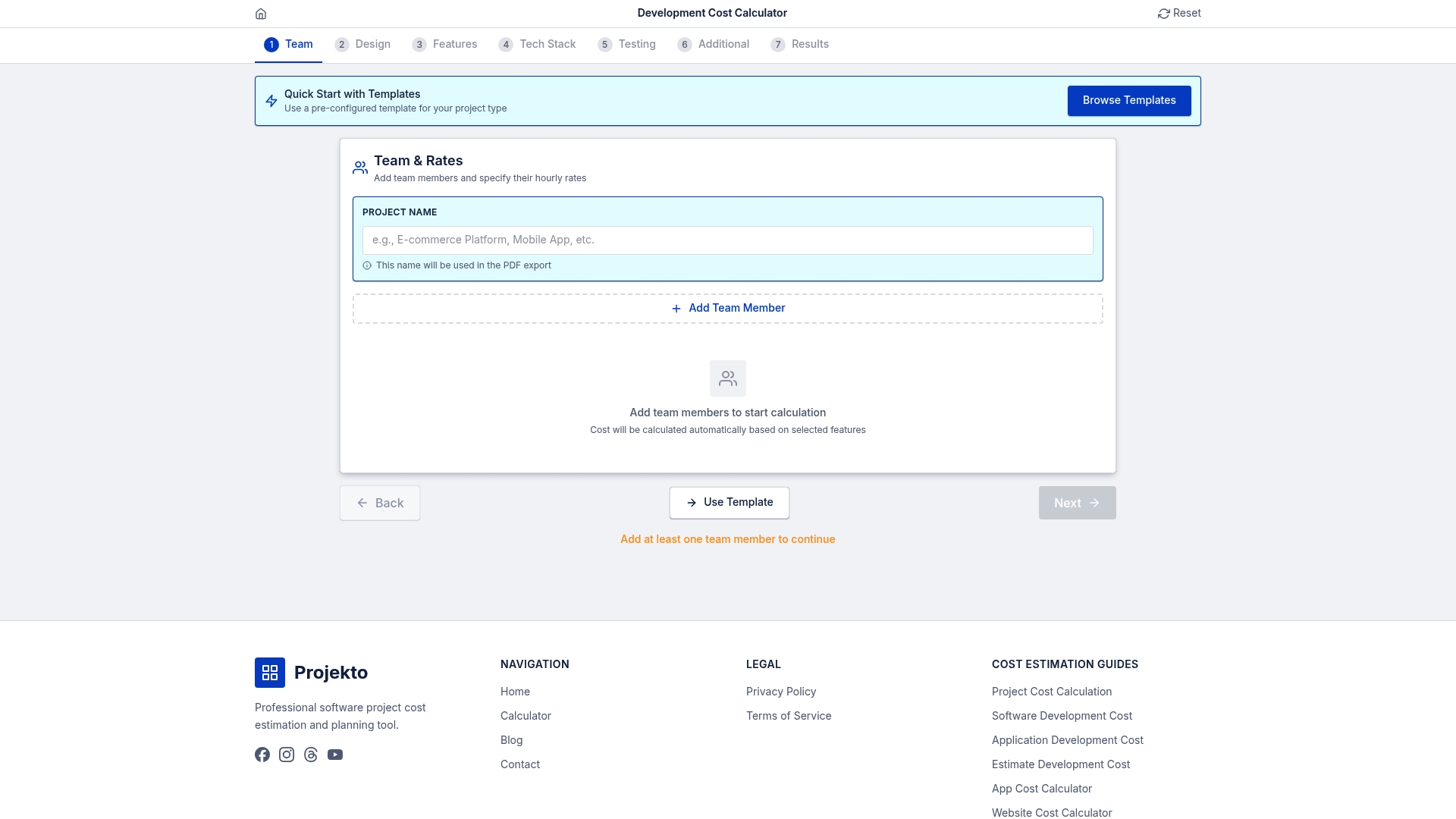
The calculator factors in all the cost drivers we've discussed: platform choice, feature complexity, compliance requirements, and integration needs. Input your project details to receive tailored cost estimates that account for development phases, risk buffers, and launch expenses. This prevents the budget surprises that derail projects and helps you allocate resources strategically.
Explore specific cost estimates for common app types. Check travel booking app cost estimate to understand budgets for complex booking systems with payment integration. Review event management app cost for apps requiring ticketing, scheduling, and user coordination features. Examine healthcare app cost estimate to budget for HIPAA compliance and medical data handling.
Using specialized calculators before engaging vendors gives you negotiating power and realistic expectations. You'll avoid the cheap vendor trap by knowing what quality development actually costs. You'll budget appropriately for post-launch expenses instead of facing funding gaps. You'll make informed decisions about MVP scope versus full feature sets.
Frequently asked questions
What is the typical cost of building a simple MVP?
MVPs typically cost between $25k and $90k, depending on features and scope. This range covers basic functionality, single platform development, and essential testing. MVPs allow early market validation with controlled investment, letting you gather user feedback before committing to full-scale development.
How much should I budget annually for app maintenance?
Annual maintenance commonly costs 15-25% of the initial development cost. This includes hosting infrastructure, security updates, OS compatibility fixes, and app store fees. Budget more if you plan active feature development or serve regulated industries requiring frequent compliance updates.
Why do mobile apps cost more than web apps?
Mobile apps cost 2-3 times more than web apps due to development for multiple platforms and app store requirements. Building native iOS and Android versions doubles platform-specific work. QA efforts multiply across device models, screen sizes, and OS versions. App store submission processes add compliance overhead and approval delays.
Should I choose the cheapest development vendor?
Cheapest vendors often deliver poor code quality, inadequate testing, and security vulnerabilities that require expensive rework. Low bids typically indicate inexperienced developers or corner-cutting that creates technical debt. Evaluate vendors on portfolio quality, domain expertise, and development processes rather than price alone. Paying appropriately for experienced developers saves money long-term by avoiding costly rebuilds.
How do I decide which features to include in my MVP?
Prioritize features that solve your core user problem and differentiate your solution. Use the MoSCoW method to categorize features as must-have, should-have, could-have, or won't-have for initial launch. Focus MVP budget on must-have features only. Plan to add other features incrementally based on user feedback and usage data after launch.